
The Ultimate Guide to Game Controller Customization for Elite Competitive Play
As competitive gamers, we know that every edge counts, and our controller is often the closest extension of our will in the game. That's why diving into game controller customization is not just a hobby, it's a strategic move to elevate our play.
I'll share with you the ins and outs of how custom controllers are made, how they enhance performance across different game genres, and most importantly, how to maintain your specialized gear to keep you at the top of your game.
Join me on this journey to discover how precise modifications and proper care can transform your gaming experience, giving you the responsiveness and reliability you need for elite competitive play.
The Manufacturing Edge: How Game Controller Customization is Built for Performance
The Philosophy Behind Custom Controllers
Unlocking a superior gaming experience through tailored inputs and comfort.
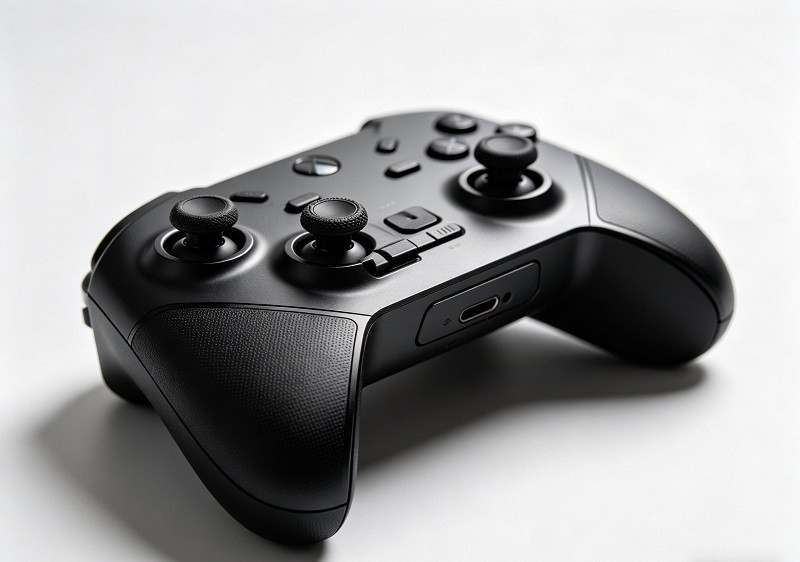
The core philosophy of custom controllers is to transform a generic, mass-produced device into a piece of high-performance equipment that feels like an extension of the player. Standard controllers are designed with a one-size-fits-all approach, which can lead to discomfort and fatigue during long gaming sessions. Customization allows for enhanced ergonomics, with options for different grip textures and controller shapes tailored to a player's hands, reducing strain and improving stability. This personalized comfort is not just about feel; it directly translates to better control and precision during intense competition. By tailoring the device to your specific grip style and hand size, a custom controller ensures that you can maintain peak performance for longer.
Beyond comfort, tailored inputs are a game-changer. The ability to remap buttons, adjust stick height, and modify trigger sensitivity allows players to create a layout that is most intuitive for them. This means frequently used actions can be assigned to more accessible buttons, like back paddles, which reduces the time it takes to execute complex maneuvers. This level of personalization is about creating a more efficient and seamless connection between the player and the game.
Enhancing responsiveness and competitiveness for every player.
In competitive gaming, where a fraction of a second can determine victory or defeat, responsiveness is paramount. Custom controllers are engineered to minimize input lag and maximize reaction speed. Features like adjustable trigger stops, which reduce the trigger's travel distance, enable faster firing in first-person shooters. Similarly, options for "smart" buttons and triggers provide a crisp, instantaneous click, much like a mouse, ensuring that every command is registered instantly.
This pursuit of speed gives players a tangible competitive advantage. Elite esports professionals rely on these modifications because they provide the precision and instinctual control that standard hardware lacks. However, these benefits are not exclusive to the pros. For any player serious about improving their skill, a custom controller offers a clear path to enhanced performance. By providing tools for quicker reactions and more precise inputs, customization empowers every player to reach their full potential. Ultimately, investing in a custom controller is investing in your own competitiveness.
Inside the Workshop: Blazing a Trail in Game Controller Customization
My insights into companies like Battle Beaver Customs, pioneers in the field.
Companies like Battle Beaver Customs have become pillars in the competitive gaming community by consistently delivering high-performance, customized controllers. They specialize in modifying first-party controllers for platforms like PlayStation, Xbox, and PC, adding features specifically designed for speed, accuracy, and reliability. Their modifications range from proprietary "Smart Triggers" that offer instant activation to increased thumbstick tension for more precise aiming.
What sets these pioneers apart is their deep understanding of what competitive players need. They've built a reputation for quality and innovation, becoming one of esports' "worst-kept secrets." A tour of their facility reveals a meticulous process where each controller is hand-built and tested by technicians to meet exact specifications, ensuring that every modification, from a D-button enhancement for fighting games to a textured rear shell for better grip, meets a high standard of quality before it ships.
The strategic shift from outsourcing to advanced in-house 3D printing (FDM, SLA, SLS).
A significant evolution in the custom controller industry has been the strategic shift from outsourcing manufacturing to bringing it in-house, largely powered by advancements in 3D printing technology. Initially, many companies relied on overseas partners for processes like injection molding to create custom parts. However, this approach presented challenges, including long lead times and supply chain vulnerabilities.
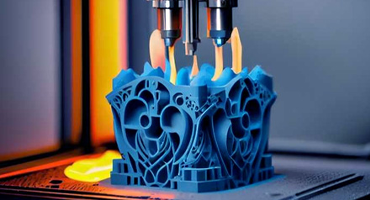
Leading companies like Battle Beaver have integrated a full suite of 3D printing technologies into their workshops, including Fused Deposition Modeling (FDM), Stereolithography (SLA), and Selective Laser Sintering (SLS). This move represents a fundamental change in their manufacturing strategy. By producing parts internally, they gain complete control over the design, quality, and production timeline, a crucial advantage in the fast-moving tech hardware space.
Benefits of internal manufacturing: faster turnaround times and reduced supply chain risks.
Bringing manufacturing in-house with 3D printing has been a game-changer, yielding two primary benefits: dramatically faster turnaround times and a significant reduction in supply chain risks. Outsourcing parts can lead to lead times of weeks or even months, creating bottlenecks that slow down innovation and order fulfillment. In contrast, in-house manufacturing allows for rapid production. For example, an order for hundreds of internal components that once took months to arrive from an external supplier can now be produced on-demand in a single day using an SLS printer.
This agility insulates companies from global supply chain disruptions, an issue that has become increasingly common. Furthermore, direct oversight of the production process leads to better quality control and allows for immediate design adjustments. This capability not only speeds up the time-to-market for new products but also enhances the ability to innovate and respond to market demands quickly.
Rapid Iteration with 3D Printing: Shaping the Future of Game Controller Customization
How game controllers frequently undergo internal redesigns, posing unique challenges.
One of the unique challenges in the controller modification industry is the constant evolution of the base hardware. Throughout a single console's lifespan, manufacturers like Sony and Microsoft frequently release internal revisions of their controllers. These redesigns, while often invisible to the average consumer, can completely change the internal layout, rendering existing custom mounts, buttons, and other modification parts obsolete. For companies that rely on traditional manufacturing methods like injection molding, which requires expensive and permanent molds, this presents a significant financial and logistical problem.
Leveraging SLS 3D printers, like the Fuse 1, for rapid prototyping and quick design changes (e.g., creating a PS5 platform in just 48 hours).
This is where the power of rapid prototyping with Selective Laser Sintering (SLS) 3D printers becomes indispensable. Technology like the Formlabs Fuse 1 allows custom controller companies to adapt to internal hardware changes with incredible speed. When a new controller revision is released, designers can quickly develop and test new parts. The Fuse 1 is an industrial-grade SLS printer designed for high-speed output, making it ideal for both rapid prototyping and end-use part production.
A process that might take months using traditional methods can be condensed into a matter of days. For instance, creating a full set of compatible parts for a new PlayStation 5 controller platform can be accomplished in as little as 48 hours. This ability to move from concept to end-use part almost immediately allows companies to stay ahead of the competition and ensure their products are always compatible with the latest hardware.
The importance of quick iteration for maintaining market competitiveness and fostering innovation.
In the tech world, speed isn't just about efficiency; it's about survival. The ability to iterate quickly is a defining characteristic of market leaders. For custom controller manufacturers, rapid iteration fueled by 3D printing is a critical competitive advantage. It allows them to respond to unpredictable hardware changes without missing a beat, ensuring a continuous supply of products.
Beyond just keeping up, this speed fosters a culture of innovation. When the cost and time associated with creating new designs are drastically reduced, engineers are more willing to experiment. This freedom leads to the development of new features, improved designs, and more refined products. Fast iteration cycles shorten the learning curve, allowing companies to refine their offerings based on real-world testing and feedback, ultimately leading to higher quality and more innovative products.
The flexibility of 3D printing for small-batch production of legacy parts and avoiding costly mold fees.
3D printing offers unparalleled flexibility, particularly for managing a diverse and expanding product catalog. As new console generations emerge, there remains a dedicated player base for older systems. Supporting these "legacy" controllers with traditional manufacturing would be cost-prohibitive due to expensive tooling and mold fees for parts that are ordered in low volumes.
In-house 3D printing completely changes this dynamic. It enables the affordable, on-demand production of parts for older controller models in small batches. If a customer needs a modification for a last-generation controller, the company can simply pull up the corresponding design file and print the required components, eliminating the need for large, costly inventories of legacy parts. This approach makes supporting a wide range of products economically feasible and simplifies the entire supply chain.
The Power of Materials: Nylon and Resin in Game Controller Customization
Nylon's advantages for complex internal controller modifications, including compatibility with adhesives and high heat resistance for soldering.
The choice of material is critical for producing durable and functional controller parts. For complex internal components, Nylon 12, often used in SLS 3D printing, has proven to be an exceptional material. Nylon 12 is a versatile and robust thermoplastic known for its high detail, dimensional accuracy, and environmental stability. This makes it ideal for creating intricate internal mounts and brackets that must fit perfectly within the tight confines of a controller's shell.
Furthermore, Nylon parts are highly compatible with the adhesives and soldering processes required for installing electronic modifications. Its high heat resistance ensures that the material does not warp or melt when technicians are soldering wires to a new trigger or button, a crucial property for ensuring the longevity and reliability of the modification. SLS-printed Nylon is durable enough for both functional prototypes and end-use parts, making it a go-to for high-performance applications.
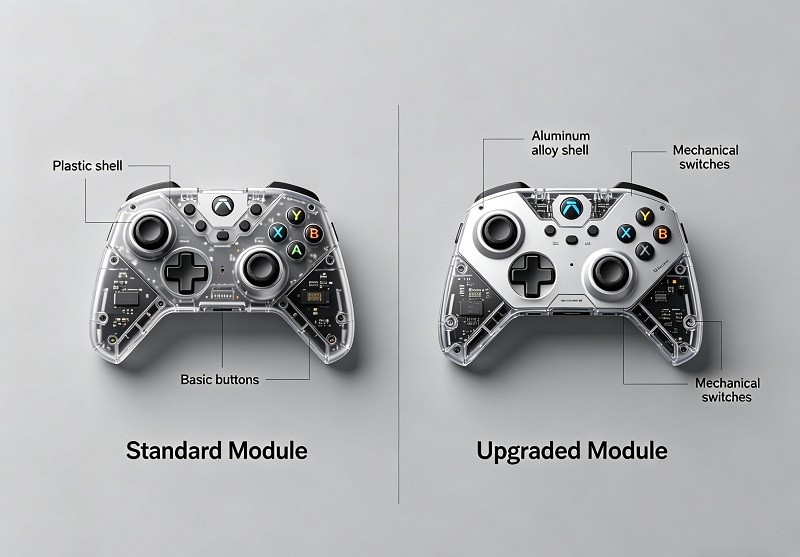
Utilizing SLA resin printers, like the Form 2, for smooth external parts and detailed prototypes.
While SLS Nylon is perfect for internal structures, Stereolithography (SLA) printing excels at creating parts with a smooth surface finish, making it ideal for external components and aesthetic prototypes. Companies use SLA printers, such as the Formlabs Form 2, to produce parts like custom buttons or shells where visual quality is paramount. SLA technology uses a laser to cure liquid resin into solid parts, layer by layer, resulting in highly detailed objects with a finish that can rival injection-molded plastics. This process is perfect for creating customer-facing parts that require a polished look right out of the printer.
Achieving high-volume, on-demand production with SLS technology, producing hundreds of parts per build.
One of the most significant advantages of SLS 3D printing is its capacity for high-volume, on-demand production. Unlike other printing methods, SLS does not require support structures; instead, the unsintered powder in the build chamber supports the parts as they are printed. This allows parts to be densely "nested" together, maximizing the available build volume.
A single build chamber in an SLS printer like the Fuse 1 can produce anywhere from 500 to 800 individual parts at once, depending on their size. This capability effectively replaces the need for outsourcing and allows a company to become its own small-batch production house. This massive throughput, combined with the ability to use recycled powder, makes SLS an efficient and cost-effective solution for producing custom parts at scale.## Optimizing Your Play: Game Controller Customization for Every Genre
Gaining an Advantage in Competitive Games
The critical role of controller choice in competitive environments, especially for Console gaming.
In the world of elite esports, particularly on consoles, the gear you use is just as crucial as your in-game skill. While standard controllers that come with consoles are adequate for casual play, they often lack the precision and customization needed for high-stakes competition. Competitive gaming demands split-second reactions, and even minuscule improvements in speed and control can be the difference between winning and losing. This is where a custom controller becomes an essential piece of equipment. It enables a level of personalization that can significantly improve response time, control accuracy, and ergonomic comfort.
How a high-performance, customized controller can significantly boost your in-game skill and overall performance.
A high-performance controller, tailored to your hands and playstyle, can feel like a natural extension of your body, boosting your confidence and allowing for more intuitive gameplay. Features like enhanced ergonomics reduce hand fatigue during long practice sessions, while remappable buttons and adjustable triggers provide a tangible competitive edge. For example, being able to perform actions like jumping or reloading using back paddles—without taking your thumbs off the sticks—keeps you in full control at all times. These modifications are not just about comfort; they are designed to sharpen your reaction time and enhance your precision, directly contributing to a higher skill ceiling and better overall performance.
FPS Controller Setup: Tailoring Your Game Controller Customization
Why precise customization is essential for competitive First-Person Shooters.
In competitive First-Person Shooters (FPS), precision and speed are everything. The ability to aim accurately and react instantly is non-negotiable. Customization is essential because it allows players to fine-tune their equipment to match their specific reflexes and playstyle. Standard controllers offer a one-size-fits-all solution, but in FPS games, optimal performance comes from a setup tailored to the individual. Features like adjustable stick tension and trigger stops can dramatically improve a player's ability to control recoil and fire weapons more rapidly.
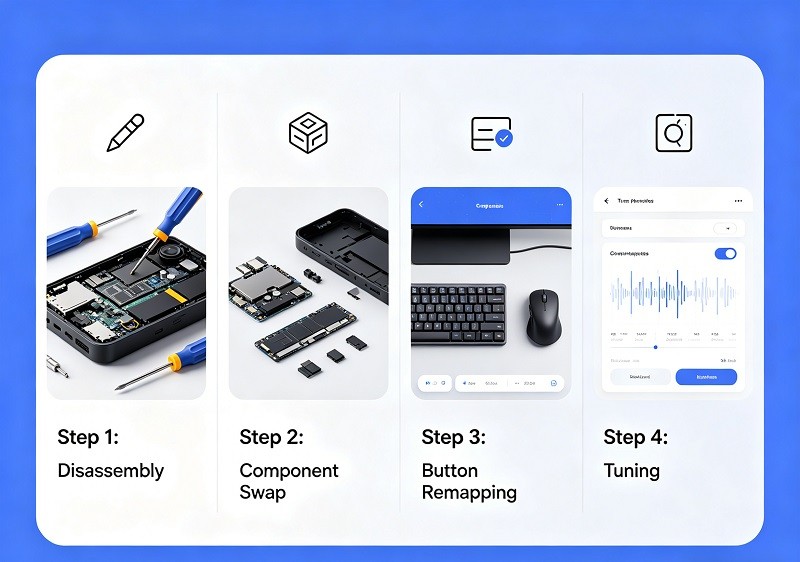
Key customizations: button remapping, stick tension adjustments, trigger stops, and enhanced grip modifications.
To build the perfect FPS controller, several key customizations are crucial. Mastering your settings is a vital step toward competitive excellence.
| Customization | Description | Advantage in FPS Games |
|---|---|---|
| Button Remapping & Paddles | Assigns actions to different buttons, especially back paddles. | Allows you to jump, crouch, or reload without moving your thumbs from the analog sticks, ensuring constant aim control. |
| Stick Tension Adjustments | Modifies the physical resistance of the analog sticks. | Increased tension can provide finer control over small movements, leading to more precise aiming and better recoil management. |
| Trigger Stops & Smart Triggers | Reduces the travel distance of the triggers or replaces the mechanism with a mouse-like click. | Enables significantly faster firing, crucial for semi-automatic weapons. The instant actuation of smart triggers minimizes input delay. |
| Enhanced Grip Modifications | Adds textured or rubberized surfaces to the controller's shell. | Prevents slippage during intense moments and reduces hand fatigue, allowing for more consistent performance over long sessions. |
By optimizing these elements, you can create a controller that gives you a distinct advantage in aiming, movement, and reaction time.
Racing and Fighting Games: Precision Through Game Controller Customization
How specialized controllers give players a crucial edge in these fast-paced genres.
In racing and fighting games, just as in shooters, precision and timing are paramount. A specialized controller can provide a crucial edge by offering more refined inputs than a standard model. For racing games, this means smoother and more gradual control over steering, acceleration, and braking. In fighting games, customizations can lead to faster and more reliable execution of complex combos. Top players in these genres often use custom gear to replicate the feel of an actual race car or to optimize their button layout for flawless combo strings.
Customization considerations: tactile trigger types, paddle placements, optimal stick height, grip textures, and fine-tuned software settings.
Creating the ideal controller for racing or fighting games involves a different set of priorities than for an FPS.
For Racing Games:
- Trigger Control: Full-travel triggers are often preferred as they allow for nuanced throttle and brake control, simulating the feel of pedals.
- Stick Height: A taller stick can provide a wider range of motion, allowing for more precise and smoother steering inputs.
- Haptic Feedback: Advanced haptic feedback can immerse you in the game, providing tactile sensations for road texture and tire slip.
For Fighting Games:
- Digital Triggers and Buttons: "Smart" or digital-input buttons and triggers provide instantaneous, clicky feedback, ensuring that every button press is registered immediately for executing tight combo links.
- Paddle Placement: Back paddles can be mapped to complex button combinations, making it easier to perform special moves without contorting your hands.
- D-Pad Modifications: Some players prefer a modified D-pad for more precise directional inputs, essential for movement and blocking.
For both genres, enhanced grips ensure the controller remains secure during intense matches, while custom software profiles can store different layouts for various games, allowing for an easy switch between setups.
The Future of PC Gaming: Wireless Freedom and Enhanced Game Controller Customization
Customizable controllers as indispensable accessories for competitive PC gaming.
While the keyboard and mouse remain the default for many PC gamers, high-quality customizable controllers have become an indispensable accessory, especially for competitive play in certain genres. Many action, sports, and racing titles feel more natural with a controller. Today's custom PC controllers offer features that rival their console counterparts, including remappable paddles, smart triggers, and enhanced ergonomics, providing a competitive edge. Furthermore, major brands like Xbox and PlayStation have made their controllers fully compatible with PC, often with simple plug-and-play functionality.
Benefits like shorter trigger travel, superior grip, advanced TMR sensors, and the flexibility of wireless design.
The modern PC controller offers a wealth of benefits that enhance the gaming experience. Custom builders provide options for shorter trigger travel and superior grips, which improve response times and comfort. Looking ahead, advanced sensor technologies are setting new standards.
One of the biggest advantages for PC gaming is the flexibility of a wireless design. Wireless controllers eliminate cable clutter and offer the freedom to play from a more relaxed position, unbound from your desk. Modern wireless technology via Bluetooth or dedicated 2.4Ghz USB dongles provides stable, low-latency connections suitable for competitive gaming, giving players the best of both worlds: high performance and untethered freedom.
Next-Gen Precision: Hall Effect Sensors and Advanced Game Controller Customization
The Problem of Stick Drift: Why It Happens
Understanding drift: when your joystick incorrectly reports its neutral position.
Stick drift is a persistent and frustrating issue where a controller's analog stick registers movement even when it's not being touched. This can manifest as your in-game character slowly moving on their own or the camera panning without any input. It happens because the joystick's internal sensor no longer correctly identifies its neutral, centered position. While software settings like "dead zones" can help mitigate minor drift, they don't solve the underlying hardware problem.
Common causes: continuous gameplay stress, general wear and tear, and foreign particles interfering with potentiometers.
The primary cause of stick drift in most standard controllers is the wear and tear of its internal components, specifically the potentiometers. A potentiometer is a sensor that relies on physical contact; a small metal "wiper" slides across a resistive carbon track to measure the stick's position. Over millions of movements from continuous gameplay, this sliding action physically wears down the carbon track. Additionally, the accumulation of dust, debris, and oils can interfere with these contact points, leading to inaccurate readings and, ultimately, stick drift.
The impact of physical wear on the internal contact points of traditional joysticks.
The reliance on physical contact is the inherent flaw in traditional joystick design. Every movement contributes to the gradual degradation of the potentiometer's resistive pads. This wear alters the electrical resistance values that the controller uses to determine the joystick's position. Once the resistance value of the neutral position changes beyond the factory calibration, the controller starts sending unintended movement signals to the console or PC—this is the moment drift becomes noticeable. Some argue that the quality of these components has decreased in recent years, making modern controllers more susceptible to premature failure.
Hall Effect Technology: A Game-Changer for Game Controller Customization
How Hall Effect sensors convert magnetic field changes into highly precise electrical signals.
Hall Effect technology offers a revolutionary solution to stick drift by eliminating physical contact within the sensor. Instead of a wiper sliding on a track, a Hall Effect joystick uses a magnet attached to the stick mechanism and a semiconductor sensor. As the joystick moves, the magnet moves with it, changing the magnetic field around the sensor. The sensor detects these changes in the magnetic field and converts them into a precise electrical voltage, which the controller then interprets as movement. This contactless method of measurement is the key to its longevity and precision.
Replacing traditional, wear-prone potentiometer components with a durable, non-contact solution.
By replacing the friction-based potentiometers with a contactless magnetic system, Hall Effect sensors remove the primary cause of stick drift: mechanical wear. Since no parts are rubbing against each other, the sensor is not subject to the degradation that plagues traditional joysticks. This makes Hall Effect technology a vastly more durable and reliable solution for long-term use, especially for competitive gamers who put their equipment through intense and prolonged sessions. It's a fundamental shift from a component that is almost guaranteed to fail to one that could theoretically last the entire lifetime of the controller.
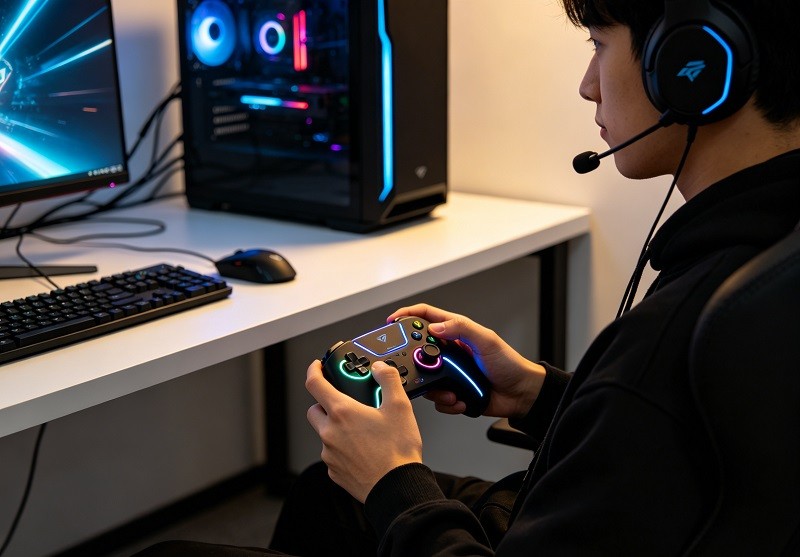
Key advantages: non-contact input, significantly extended device lifespan, improved accuracy, and the complete elimination of stick drift.
The benefits of Hall Effect sensors are clear and significant for any serious gamer:
- Elimination of Stick Drift: Because there is no physical contact to wear down, the stick drift caused by sensor degradation is completely eliminated.
- Extended Lifespan: The absence of mechanical friction means the joysticks last significantly longer—potentially two to three times longer than their potentiometer-based counterparts.
- Improved Accuracy and Precision: Hall Effect sensors provide a cleaner, more stable signal with less electrical noise, resulting in more consistent and predictable inputs. This is critical for genres that demand pinpoint accuracy, like FPS and racing games.
- Reduced Maintenance: With no sliding contacts to clean or wear out, these sensors require far less maintenance.
- Resistance to Debris: The contactless design also makes them immune to interference from dust, dirt, and moisture that can plague traditional potentiometers.
Delivering long-lasting precision that is indispensable for top-tier competitive play.
For competitive players, consistency and reliability are paramount. Hall Effect technology delivers just that. By providing drift-free precision and unwavering accuracy over a much longer lifespan, these sensors ensure that a player's equipment will perform consistently from one tournament to the next. The faster response times and minimal dead zones offered by Hall Effect sticks give players a tangible performance boost. This long-lasting precision is no longer just a luxury; it is becoming the new gold standard for top-tier competitive controllers.
In recent years, an even newer technology known as Tunneling Magnetoresistance (TMR) has emerged. TMR functions similarly to Hall Effect by using contactless magnetic sensing, but it measures changes in electrical resistance instead of voltage. This allows TMR sensors to be even more sensitive to tiny movements and consume less power, making them ideal for wireless controllers. While Hall Effect sensors have already solved the ajor problem of drift, TMR represents the next evolution in the quest for ultimate precision and efficiency in gaming controllers.## Sustaining Your Edge: Essential Care for Your Customized Game Controller
The Importance of Regular Maintenance for Customized Game Controllers
High-performance custom controllers require dedicated and proper care to maintain their edge.
A high-performance custom controller is a precision-engineered tool, and just like any specialized equipment, it requires regular upkeep to perform at its best. These controllers are built with intricate modifications and sensitive components designed for peak responsiveness. Neglecting their care can lead to a gradual decline in performance, undermining the very advantage they are meant to provide. Consistent maintenance is the key to ensuring your investment continues to pay dividends in your gameplay.
How poor maintenance can lead to drift, inaccuracies, and a shortened controller lifespan.
Poor maintenance is one of the quickest ways to degrade a custom controller's performance. The accumulation of dust, oils from your hands, and other debris can work its way into the sensitive internal mechanisms, leading to significant issues. This buildup is a primary cause of joystick drift, where the controller registers movement without input. It can also cause buttons to become sticky or unresponsive. Over time, this neglect not only leads to inaccuracies but also accelerates the wear and tear on components, ultimately shortening the controller's lifespan.
Why regular upkeep is vital for preserving sensor accuracy and preventing premature component failure.
Regular upkeep is crucial for preventing the physical degradation that causes most controller issues. For traditional analog sticks, dirt and debris can interfere with the potentiometers, causing the sensor to misread the joystick's neutral position. Even with advanced Hall Effect or TMR sensors, which are less susceptible to wear, keeping the device clean is important for overall function. Proactive care, such as routine cleaning and proper storage, helps preserve sensor accuracy, prevents the premature failure of both internal and external components, and ensures your controller remains a reliable and precise tool for competitive play.
Preventing and Addressing Stick Drift through Game Controller Customization Care
Safe cleaning methods for thumbsticks: using dry cotton swabs and, if necessary, lightly moistened isopropyl alcohol for deeper cleaning.
Regularly cleaning your thumbsticks is one of the most effective ways to prevent the buildup that leads to stick drift. For routine maintenance, a dry cotton swab or a microfiber cloth can be used to wipe away dust and debris from around the base of the joysticks.
For a deeper clean, 70% isopropyl alcohol is an effective agent because it dissolves grime and evaporates quickly without leaving residue.
- Power Off: Always ensure your controller is turned off and disconnected from any power source. If it has removable batteries, take them out.
- Apply Alcohol Sparingly: Lightly dampen a cotton swab with isopropyl alcohol; never soak it or spray alcohol directly onto the controller.
- Clean Gently: Carefully clean around the base of the thumbstick, rotating it to access the entire crevice. The goal is to remove grime without forcing liquid inside the mechanism.
- Air Dry: Let the controller air dry completely for at least 15-20 minutes before powering it back on.
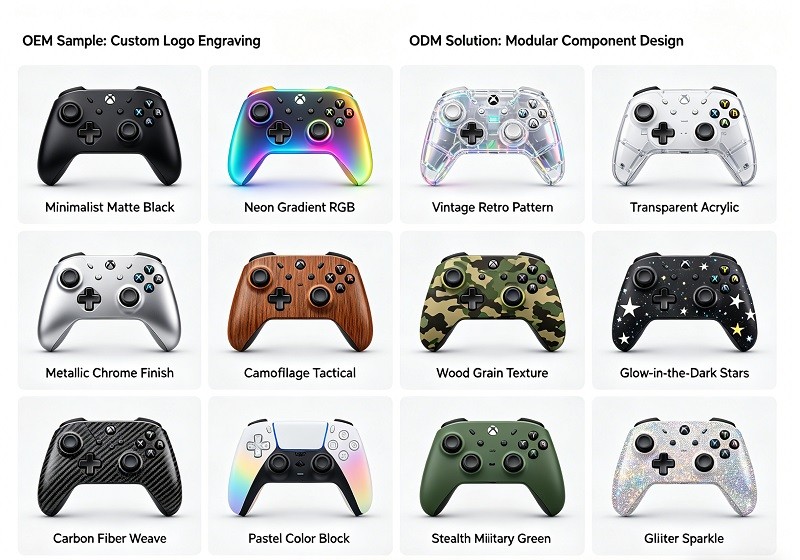
Addressing drift early: how to recalibrate through console settings and the risks of improper disassembly.
If you start noticing minor stick drift, the first step is to try software-based recalibration. Both Xbox and PC platforms have built-in calibration tools that can reset the joystick's center position and potentially correct the issue.
- On Xbox: Navigate to
Settings > Devices & connections > Accessories, select your controller, and find the recalibration option. Follow the on-screen prompts to reset the stick's alignment. - On PC: You can use Windows' built-in "Game Controller Settings" panel or more advanced software like DS4Windows or Steam's controller configuration menus to calibrate.
If calibration doesn't work, the problem is likely physical. While it might be tempting to disassemble the controller for a deeper clean or repair, doing so carries significant risks. Improper disassembly can easily lead to stripped screws, broken plastic clips, or torn ribbon cables, causing more damage. Unless you have experience with electronics repair, it's often safer to seek professional help than to risk permanently damaging your expensive custom gear.
Protecting Your Custom Controller's Core Components
Triggers: avoiding excessive pressure and adopting controlled presses to prevent accelerated sensor wear.
Just like joysticks, triggers are subjected to repeated stress during gameplay. Applying excessive force or "slamming" the triggers can accelerate wear on the internal sensors and mechanical parts. Adopting a habit of controlled, deliberate presses can significantly extend the life of your triggers, ensuring they remain responsive and accurate over the long term. This is especially true for controllers with hair-trigger mods, which are designed for speed, not heavy-handed use.
Grips: regularly cleaning with a dry cloth to prevent degradation caused by sweat, oil, and dust.
The custom grips on a controller are designed for comfort and control, but they are susceptible to degradation from sweat, body oils, and dust. This buildup can make the rubberized or textured surfaces feel sticky or slimy and can eventually cause the material to peel. To prevent this, regularly wipe down the grips with a soft, dry microfiber cloth. For a deeper clean, a cloth lightly dampened with 70% isopropyl alcohol is effective, but always test it on a small, inconspicuous area first. Proper grip care not only maintains the feel and performance of your controller but also its aesthetic appeal.
Storage solutions: keeping your controller in a cool, dry place and utilizing protective cases for safe travel, guarding against humidity and heat.
How you store your controller is just as important as how you clean it. Prolonged exposure to high humidity can corrode internal electronics, while direct sunlight and extreme heat can warp the plastic shell and affect sensor calibration. Always store your controller in a cool, dry place away from direct sunlight.
For travel or simply for keeping it safe at home, investing in a dedicated controller case is highly recommended. Hard-shell cases with foam inserts offer the best protection against physical impacts, dust, and pressure, ensuring your investment remains safe whether you're heading to a tournament or just keeping your setup tidy. Controller stands are also a great option for keeping your gaming space organized and your controllers easily accessible.
Advanced Solutions: Calibration, Firmware, and Repair for Game Controller Customization
How calibration tools can effectively reset and realign joystick input.
When stick drift appears, calibration tools are the first line of defense. These software utilities work by resetting the controller's understanding of the joystick's neutral position and its range of motion. For minor drift caused by slight electronic misreadings, recalibration can be highly effective. PC users have access to various third-party tools like DS4Windows, while console users can find calibration options within their system settings. These tools guide you through moving the sticks to their outer edges, which rewrites the controller's internal data for what it considers "center," "left," "right," etc., often resolving minor drift without any physical intervention.
The role of firmware updates in correcting sensor misinterpretation and enhancing overall responsiveness.
Firmware is the built-in software that controls your controller's hardware, acting as the bridge between your physical inputs and the game. Manufacturers regularly release firmware updates to fix bugs, improve performance, and even add new features. These updates can be crucial for correcting issues like sensor misinterpretation, where the controller's software is not correctly processing the data from the joysticks or triggers. Keeping your controller's firmware up to date can resolve problems like input lag, connectivity glitches, and some forms of drift, ensuring your device operates with optimal responsiveness and stability.
Troubleshooting common issues such as sticky buttons (often due to dirt) and trigger lag (indicating mechanical fatigue or outdated firmware).
When encountering common controller problems, a systematic approach to troubleshooting can often identify the root cause.
- Sticky Buttons: This is almost always caused by dirt, grime, or residue from spills getting trapped under the button. A careful cleaning with a Q-tip and isopropyl alcohol, pressing the button repeatedly to work the alcohol into the mechanism, can often resolve this.
- Trigger Lag: This can have two main causes. It could be a sign of mechanical fatigue, where the internal components are worn and need replacement. Alternatively, it can be a software issue correctable by a firmware update, which might improve the trigger's response time.
When to seek professional repair or replacement: If cleaning and calibration efforts prove insufficient, consider reliable replacement parts or specialized repair services.
There comes a point where DIY solutions are not enough. If you've thoroughly cleaned your controller, recalibrated it, and updated the firmware, but issues like severe stick drift or unresponsive buttons persist, it's time to consider professional help. This usually indicates a more serious hardware failure, such as a worn-out potentiometer that needs to be replaced. Attempting complex repairs like soldering without experience can cause irreversible damage. In these cases, seeking out a reliable repair service that uses high-quality replacement parts is the safest and most effective option to restore your controller to its peak condition.
In my experience, investing in game controller customization is more than just buying a product; it's about investing in your potential as a competitive gamer. From the innovative manufacturing processes that build these intricate devices to the careful attention you give them, every step contributes to your success.
By embracing the power of customized game controllers and committing to their proper care, we can unlock unparalleled precision, responsiveness, and durability, giving us the tangible edge needed to dominate the toughest competitions.
So, take control of your gameplay, choose intelligent customization, and let your enhanced controller be the key to your elite competitive journey.